Have you come across a situation where you don't have access to the Internet but can send and receive emails? Well, the good news is that you can do a lot of things over email without the Internet. Just save the following email addresses in your address book.
pdf@koolwire.com : You have an Office document or a picture on your computer or mobile phone that you wish to convert into a PDF file. Just email that file as an attachment to the above address and it will return to your Inbox as a PDF file.
upload@upload.slideshare.net : If you have PowerPoint Presentations and PDF documents that you want to share with friends, just email the files to this Slideshare address and the documents will instantly become available as a web slideshow.
wsmith@wordsmith.org : Get the dictionary definition and synonyms of any word by sending a blank email to this email address. Make the subject line: define myword
get..@photos.flickr.com: Flickr provides a unique email upload address to all its members - you can send your photographs to this email address as attachments and they'll show up in Flickr Photo gallery. The subject line of email is the photo's title and the body of the email is the photo's description:
pdf2txt@adobe.com : Send a PDF document to this email address as an attachment and it will come back as a plain text file. Handy when you don't have a PDF viewer to open the PDF document. Alternatively; you can send the PDF file to pdf2html@adobe.com for conversion to HTML format.
...@rmilk.com : When you sign up for Remember The Milk, you are assigned a unique email address. Emails sent to this special address are automatically converted into tasks and appear in your to-do list.
.@mms.youtube.com : If you have a video clip on your computer or mobile phone but no access to YouTube (because it's banned in your office), you can still upload that video file using this email address.
And now the most useful email address that will help you read any webpage through email without requiring a web connection:
www@web2mail.com: Just send an email containing the URL of the web page in the subject field (e.g. www.cnn.com) and you'll find a text copy of that web page in your Inbox. You can use the above web-to-email services to receive on-demand stock quotes (finance.yahoo.com/q?s=YHOO), currency exchange rates (finance.yahoo.com/q?s=USDINR=X), without an active web connection.
Thursday, December 6, 2007
You Can Do A Lot Over E-mail

how to open orkut.com when ur server has blocked it
proxies for orkut
goto
www.proxie4u.info
www.orkutlive.info
images.orkut.com (orkuts own proxie)
so just open these.......n ve ur orkut running
~~How To Burn 800 Mb Data into a normal 700 MB CD-R~~
Sometimes, due to some problems while ripping, rippers are not able to get the perfect "700 MB" Filesize, Which unables you to write the DivX/XviD file to a normal CD-R to enjoy it on your DivX player.
This guide will demonstrate, how we can successfully overcome this problem and write files of size up to 800 MB, into a normal 700 MB CD-R
How ?? : The idea is certainly fascinating. Despite DVD-R becoming more and more affordable regular CD-Rs are still the storage media of choice for most of us. As you may know, both VCD and SVCD can actually contain 800MB of movie data on a regular 700MB data disc. Why? Error correction is the keyword. Regular computer data CDs contain a lot of error protection, so your data won't get lost if you have some scratches on a CD. But the data on the CD itself has no error correction. If you start swapping bits in an executable file you have on a CD the file will no longer work. On the other hand, VCD and SVCD stream have some built-in protection so an additional protection on the data storage medium is no longer needed, which frees up space otherwise used for error correction. Those of you who have had a closer look at their burning program may have noticed that (S)VCDs are burned in mode2 whereas regular data CDs are burned in mode1.
Lets Begin the Fun
You'll need the following software
http://rapidshare.com/files/71854757/m2cdmgui15.zip
Step 0: Installation
Unpack Mode2 CD Maker GUI.
Step 1: Create a mode2 image
Start up the GUI.
Then start adding files.
The part of the GUI I marked with a green rectangle can be used to add regular files that do not have their own error correction. For instance VobSub subtitles, external srt subtitles, etc. It's also possible to have whole folders with files in the mode1 part.
The part marked with a red rectangle, Well thats not required
Last but not least select a path where the image will be saved (mode2 CD maker will create a .cue/bin file for you which will take as much space as all the files you put onto your CD). If you want you can select an extension for your movies. By default the movie file I've added would show up as matrix-divx5.dat on the CD. You can change the extension to pretty much anything you want, except for .ogg or .ogm.
Last but not let's press the Write ISO button and wait till the progress bar reaches the right side.
Step 2: Burning the image
Any .cue/.bin capable burning program can be used. Nero, DVD Decrypter and cdrdao are just a few options.
This will burn the 800 Mb + file into a 700 Mb CD-R
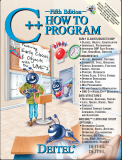
A Great Book of C++, C++ HOW TO PROGRAM
Publisher: Prentice Hall; 5 edition
Language: English
ISBN: 0131857576
Paperback: 1536 pages
Data: January 5, 2005
Format: CHM
Description: With over 250,000 sold, Harvey and Paul Deitel's C++ How to Program is the world's best-selling introduction to C++ programming. Now, this classic has been thoroughly updated! The Deitels' groundbreaking How to Program series offers unparalleled breadth and depth of programming concepts and intermediate-level topics for further study. The books in this series feature hundreds of complete, working programs with thousands of lines of code. Deitels' C++ How to Program is the most comprehensive, practical introduction to C++ ever published-with hundreds of hands-on exercises, roughly 250 complete programs written and documented for easy learning, and exceptional insight into good programming practices, maximizing performance, avoiding errors, debugging, and testing. The updated Fifth Edition now includes a new early classes pedagogy-classes and objects are introduced in Chapter 3 and used throughout the book as appropriate. A new OOD/UML ATM case study replaces the elevator case study of previous editions, and UML in the OOD/UML case study and elsewhere in the book has been upgraded to UML 2. The Fifth Edition features new mini case studies (e.g., GradeBook and Time classes). An employee hierarchy replaces Point/Circle/Cylinder to introduce inheritance and polymorphism. Additional enhancements include tuned treatment of exception handling, new ?Using the Debugger? material and a new "Before You Begin" section to help readers get set up properly. Also included are separate chapters on recursion and searching/sorting. The Fifth Edition retains every key concept and technique ANSI C++ developers need to master: control statements, functions, arrays, pointers and strings, classes and data abstraction, operator overloading, inheritance, virtual functions, polymorphism, I/O, templates, exception handling, file processing, data structures, and more. It also includes a detailed introduction to Standard Template Library (STL) containers, container adapters, algorithms, and iterators....
Download Link
http://rapidshare.com/files/70248074/Deitel.rar